
POS for phone shops: sell fast, with several customers at once
When one customer is choosing a case and another is waiting for a repaired phone, you should not lose the first cart. The FixBay POS keeps several carts open in parallel and reduces stock with every sale.
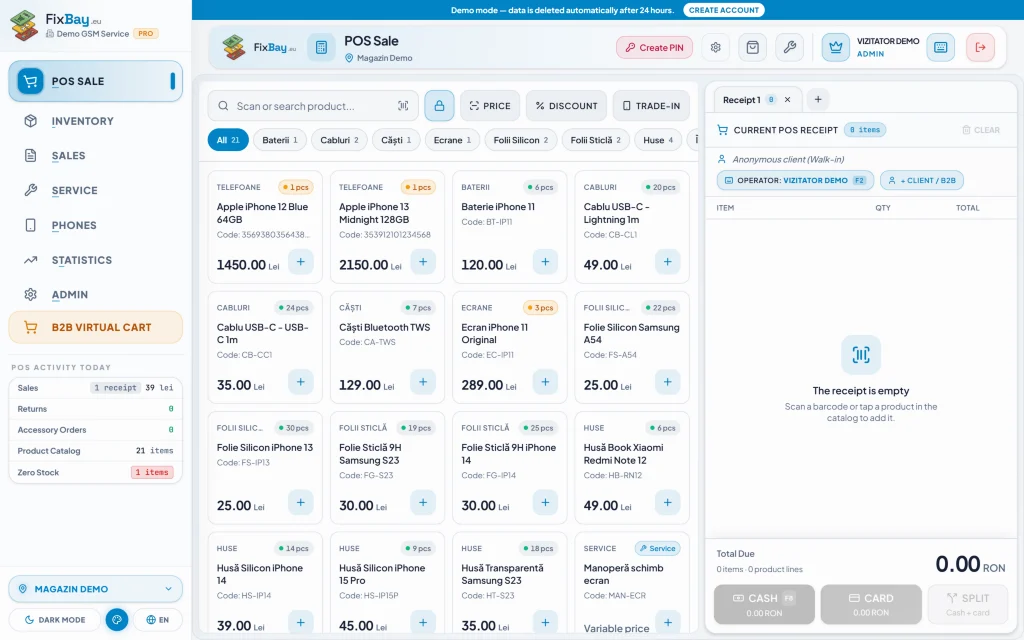
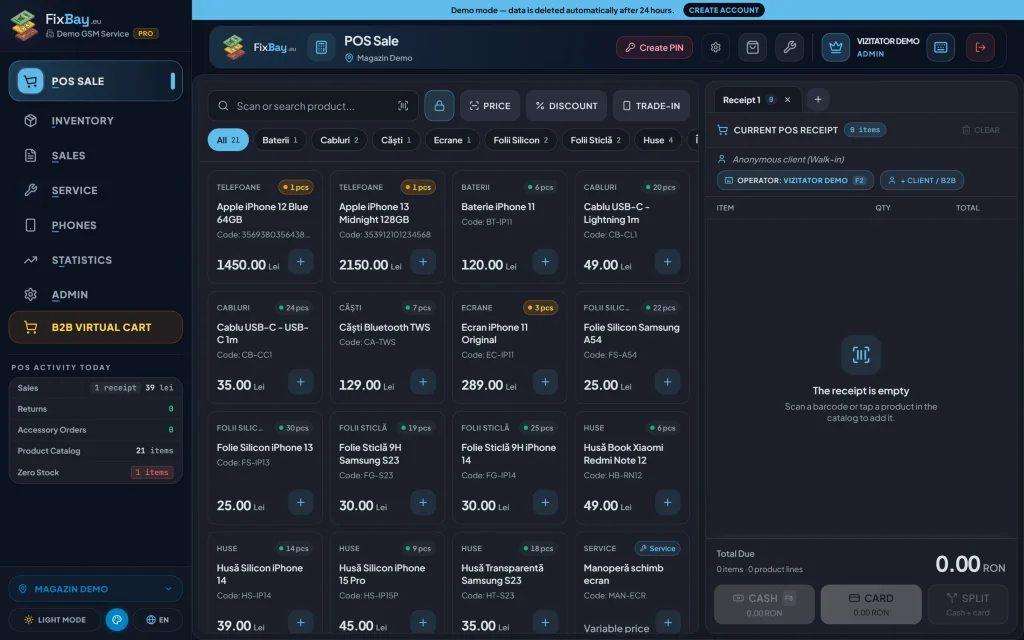
A POS built for the pace of the counter
Search by name or barcode, add the item to the cart and take payment. Discounts, labour and a trade-in phone are handled right from the cart without leaving the sales screen.
- Multiple open carts at the same time
- Discounts, labour and trade-ins from the cart
- A4, A5 or 80 mm receipts
- Quick operator switch with F2 and a 6-digit PIN
Sales, returns and profit in one place
The sales and returns journal filters by day, operator and location. At the end of the day you see takings, real profit and results per operator, and the daily report can be emailed to you automatically.
Internal records, not a cash register
FixBay keeps your internal records of sales, stock and margins. You keep issuing fiscal receipts on your own cash register, and your accountant gets the reports from the app.
Mixed payments, discounts and the right change
A customer can pay part in cash and part by card. You enter the amounts and the app works out the change, so you stop doing sums in your head with a queue in front of you.
When you apply a discount or take a phone in part exchange, the value is spread across the items in the cart, and the sum of the items stays equal to the receipt total, rounding difference included. The journal and the profit report therefore do not drift by a few cents from what the customer was charged.
Labour goes into the same cart as products. A customer who buys a case and pays for a small repair on the spot gets a single receipt, and you see the labour revenue separately in the reports.
Part exchange straight from the cart
When a customer hands in an old phone for a new one, you take the device in the same cart with the value you agreed, and the final price adjusts. You do not have to close the sale and open another module to record the trade-in.
For phone purchases the app prints the purchase slip, and phones are tracked by IMEI. Trade-ins and consignment are included from the PRO plan upwards.
Returns, the journal and the end of the day
The sales and returns journal filters by day, operator and location. If a customer brings a case back, the return appears in the same place as the sale, not in a separate notebook you only find at the end of the month.
At the end of the day you see takings, real profit and results per operator. The daily report can be emailed automatically, and the data can be exported to Excel or PDF for your accountant.
Cash differences are easier to discuss when you know who sold what. Every sale is tied to the active operator, not to “someone at the counter”.
Several employees at the same counter
When two sales assistants share one computer, each signs in with their own 6-digit PIN through the F2 key, and pressing it again signs the operator out. Sales are attributed correctly without anyone needing a separate login on the shop computer.
Permissions are set per employee, so a new sales assistant can sell without seeing everything about costs or configuration. The screen can lock with a PIN after inactivity, and connected devices can be signed out remotely.
An ordinary day at the counter
In the morning you open the POS and sell from the same stock the technicians in the workshop see. If a part is reserved on a repair ticket, you cannot sell it by mistake to a customer walking in, because stock updates in real time across all terminals.
At lunchtime, when several customers arrive together, you keep carts open in parallel: one is choosing a screen protector, another is waiting for a receipt. You lose no cart when someone interrupts you, and every customer is served at their own pace.
In the evening you check the day's takings, profit and returns, and the report can arrive by email automatically. The next day you start from real figures rather than from what you jotted down.
Frequently asked questions
- Is the POS included in the free plan?
- No. The multi-cart POS and PDF reports are included from the LITE plan upwards.
- Can I issue a fiscal receipt from the app?
- FixBay keeps internal records; the fiscal receipt stays on your own cash register. For Romania there are optional integrations: SmartBill and Oblio invoicing, ANAF company lookup and FiscalWire files for fiscal printers.
- Can I print receipts on a thermal printer?
- Yes. Receipts print in A4, A5 or 80 mm, and 80 mm suits receipt-width thermal printers. Shelf and thermal labels are printed from the app as well.
- How do I see how much each employee sold?
- The sales journal filters by operator, and the reports show results per operator. Correct attribution depends on switching operator with F2 and a PIN at the counter.